Google Fonts
Yes, you can use Google Fonts in TablissNG! Follow the steps below:
-
Find your favourite Google Font.
-
Press Get font and then Get embed code.
-
Under Embed code, select the @import tab.
-
Copy the
@importline (the part between<style>and</style>).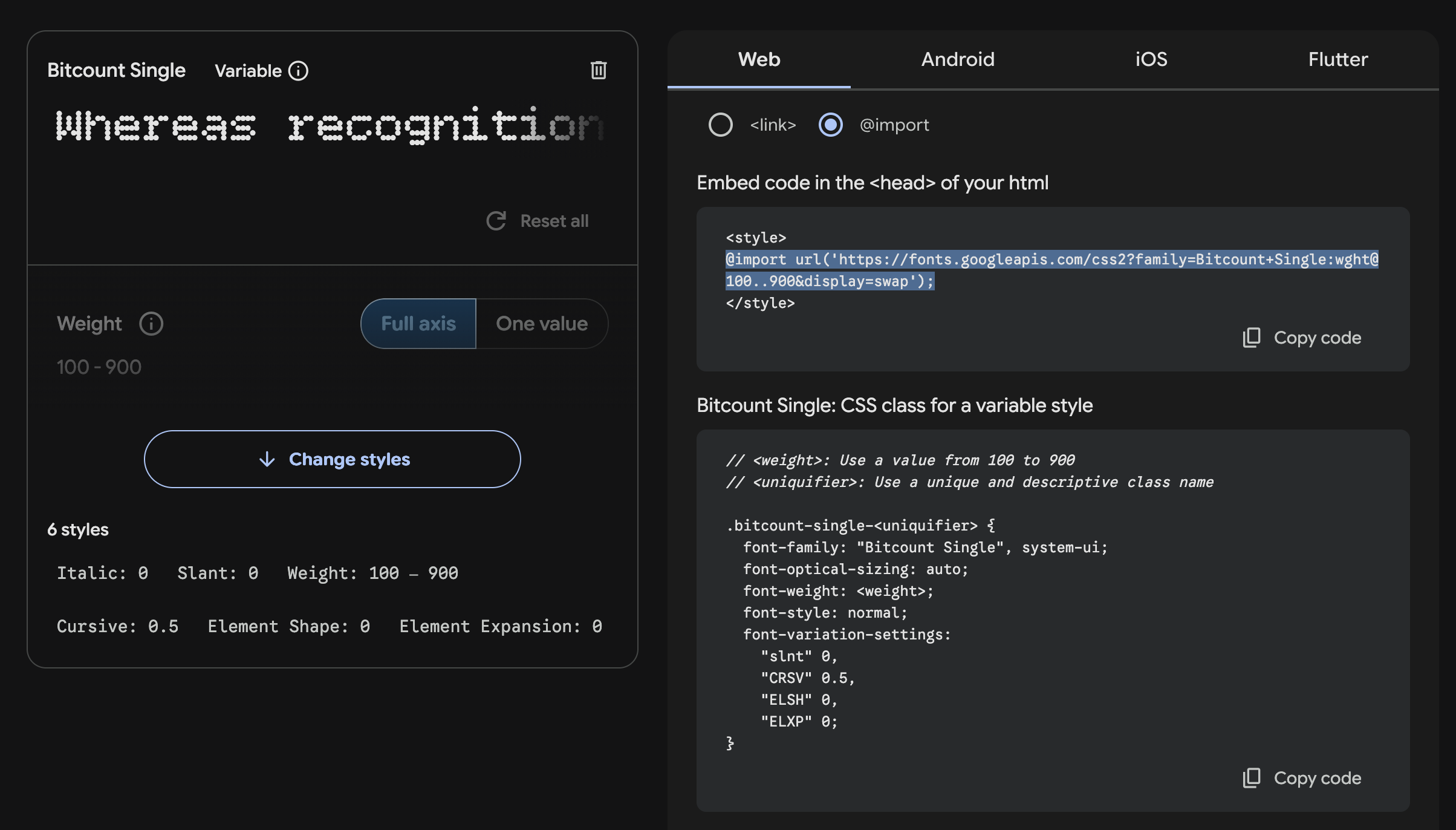
-
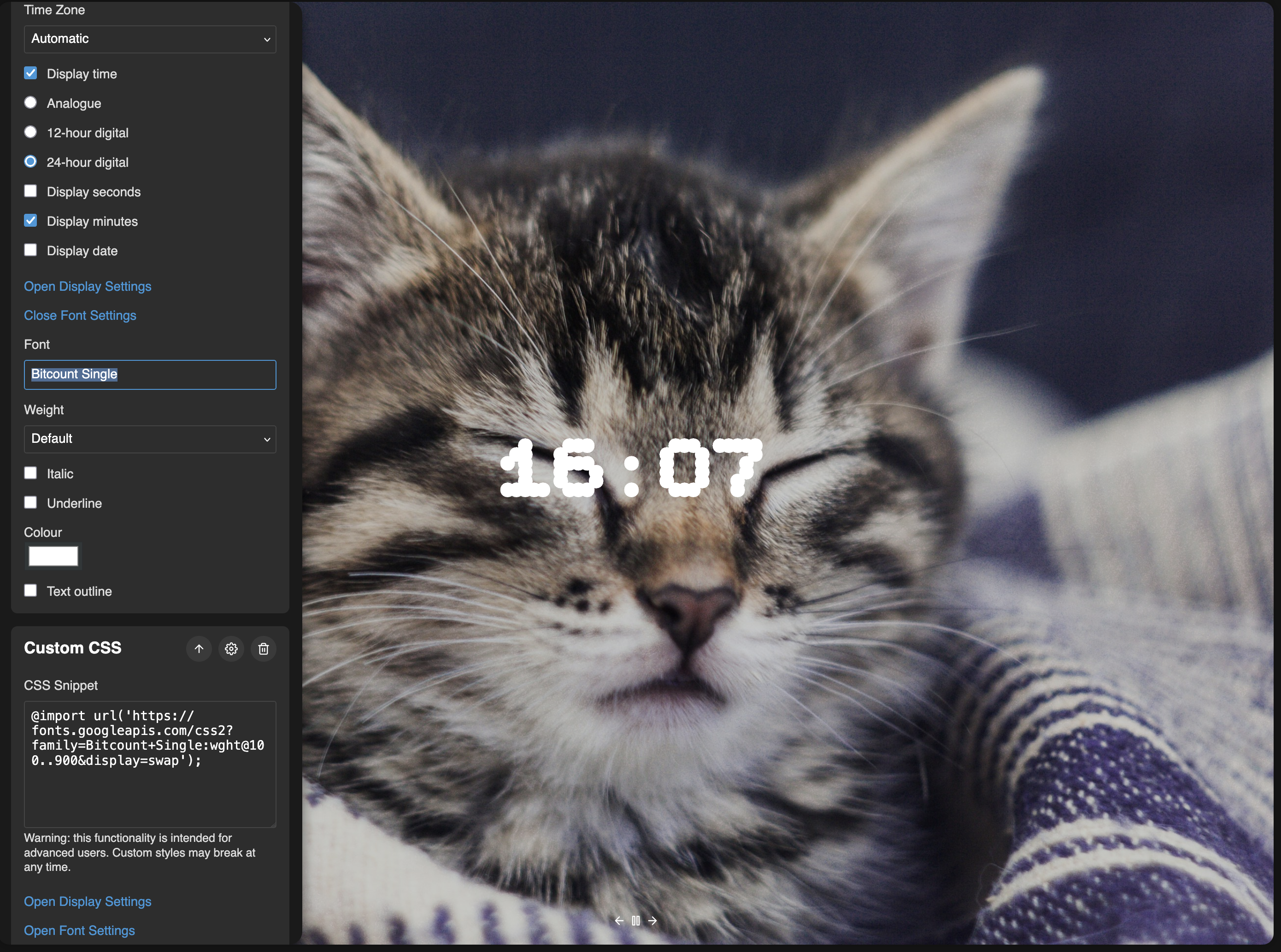
In TablissNG, open Settings > Widgets > Custom CSS.
-
Paste the embed line in the text box.
-
Back in Google Fonts, copy the font name from the CSS rules to specify families section (e.g.,
'Roboto', sans-serif). -
Back in TablissNG, paste the font name in the Font field under a widget's Font Settings.
-
Enjoy TablissNG in your font!